MySpec Gets More Collaborative: Live Presence, Artifacts, Stream Tokens, and New AI Models
This release makes MySpec more connected, collaborative, and transparent across the development workflow. Live Presence brings real-time team visibility, enhanced Usage insights provide greater control over AI activity and plan limits, new MCP capabilities support versioned artifacts and live project events, and the latest AI models expand the options available for specification and planning workflows.
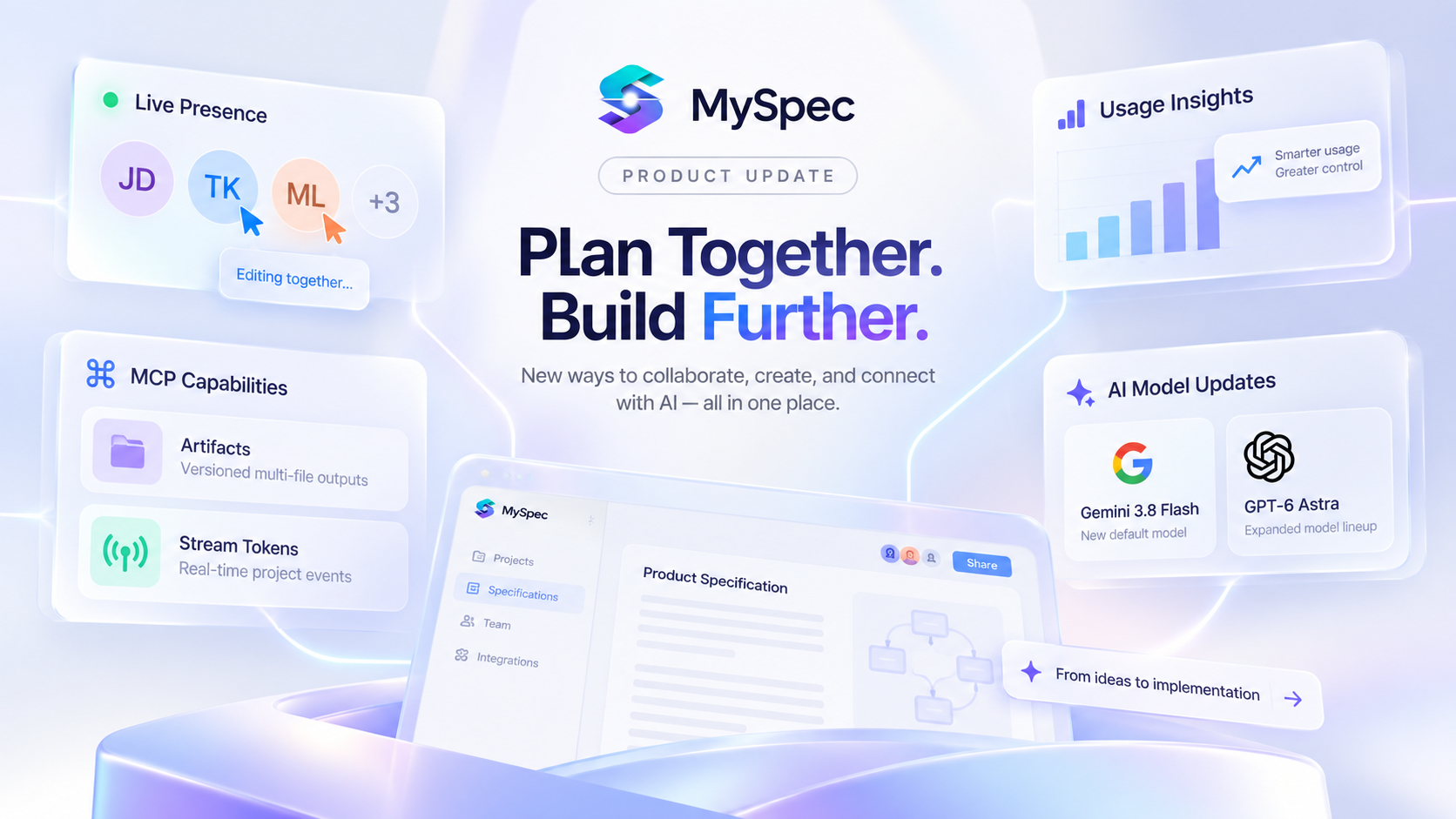
As projects become more collaborative, staying aligned across team activity, AI usage, and connected tools becomes increasingly important.
This release focuses on making that experience more visible and connected. We’ve introduced live presence for team collaboration, added deeper insights into AI usage, expanded MCP capabilities with Artifacts and Stream Tokens, and updated our AI model lineup alongside several workflow improvements.
Here’s what’s included in this release.
1.Live Presence: See Who’s Working in Your Project
Live Presence makes collaboration in MySpec easier to follow in real time. Instead of checking separately who is online or asking whether someone is already reviewing a file, teams can immediately see who is active in the same project and where they are working.
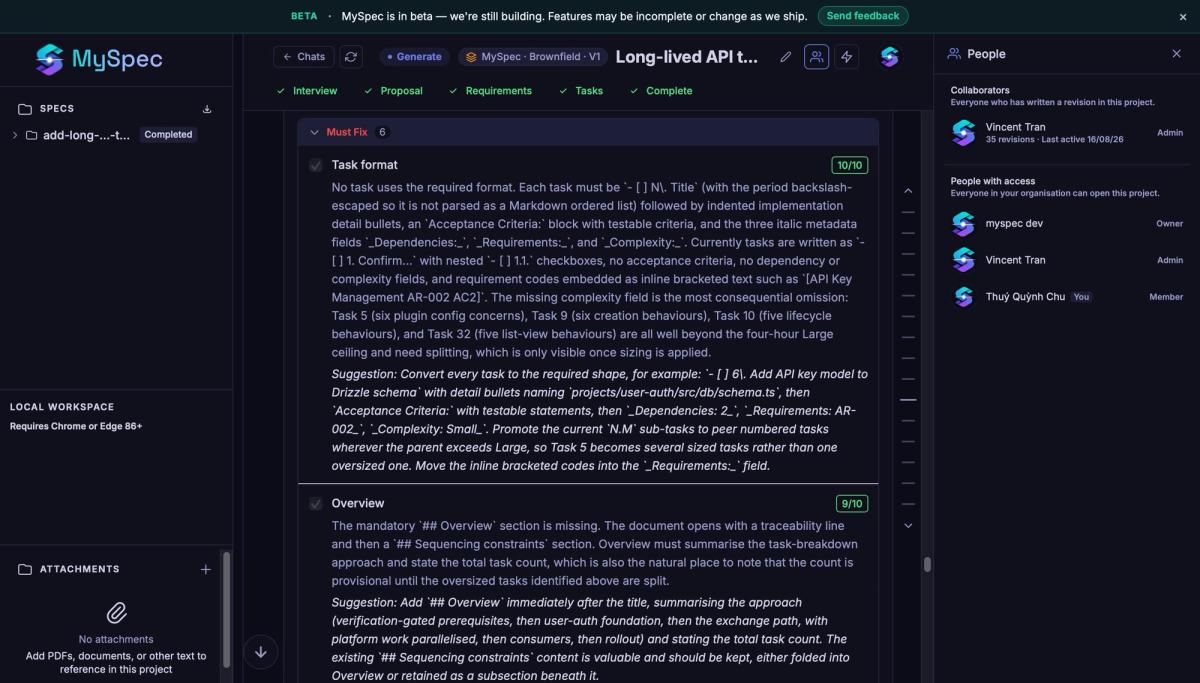
Active teammates appear in the avatar strip at the top, while the People panel shows their live status. Presence also extends to individual files, where the collaborator bar shows who is currently reading the same specification. This gives teams more context during reviews, reduces duplicated work, and makes handoffs easier when several people are contributing to the same project.
To bring teammates into the workflow, owners and admins can use Invite People in Organization Settings to add members by email and manage access.
MySpec also supports Roles, allowing each team member to work from a perspective that matches their responsibilities. Developers can focus on implementation, QA Engineers on quality and testability, Business Analysts on requirements, Project Managers on delivery, and Solution Architects on system design. These roles help tailor the planning experience and recommendations to the work each person is responsible for.
Together, Live Presence, Invite People, and Roles give teams a clearer view of both who is involved and how they are contributing, while keeping everyone aligned around the same specifications.
2. Usage Breakdown: Understand AI Usage and Plan Limits
As AI usage grows across projects, sessions, and different models, a single total provides limited context. A more detailed view makes it easier to understand which models account for the most activity, how usage is distributed, and how much capacity remains within the current plan.
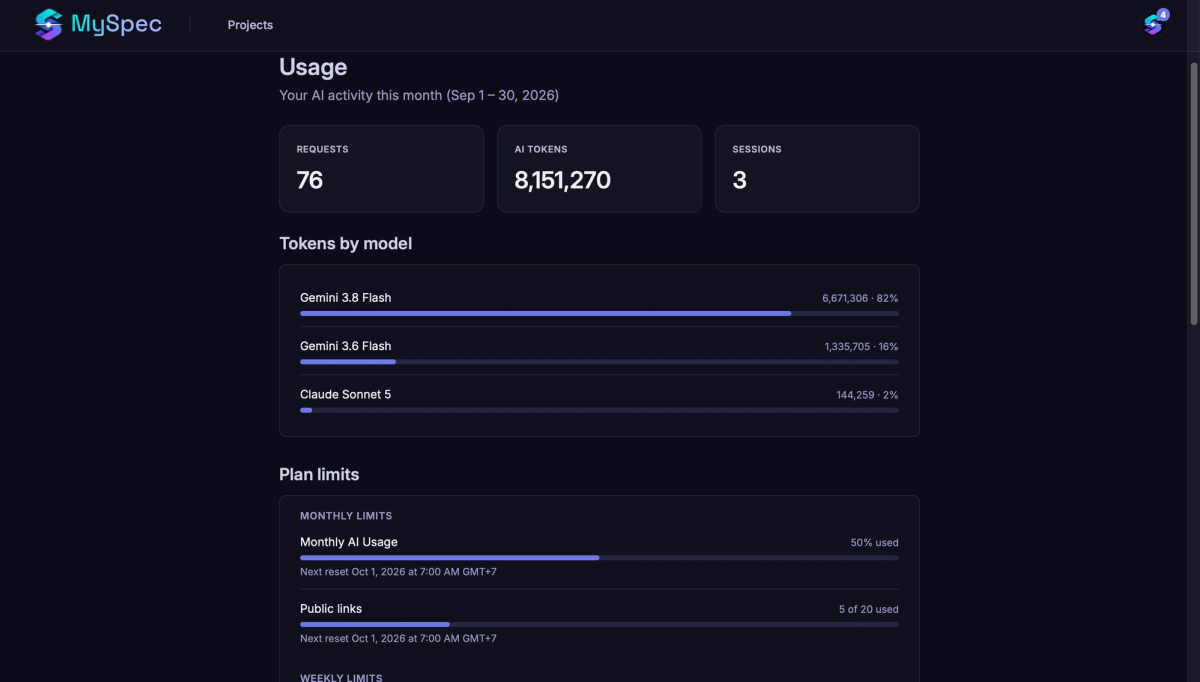
The updated Usage page brings this information together. Requests, AI Tokens, and Sessions provide a monthly overview, while Tokens by Model breaks usage down by individual model, including token consumption and request count, with the highest usage shown first. This provides clearer insight into how different model choices contribute to overall AI consumption.
Beyond AI activity, Plan Limits are now organized into Monthly, Weekly, and Quota sections. Limits for AI usage, Public Links, Members, Projects, Spec Files, and Storage can be monitored alongside their current usage, with reset dates displayed where applicable.
The result is a clearer picture of both AI consumption and available plan capacity, making it easier to spot approaching limits, understand usage patterns, and make more informed decisions about model and workspace usage.
3. New MCP Capabilities: Artifacts and Live Project Event Streams
As AI agents become more involved in development workflows, accessing project information is only part of the process. They also need reliable ways to work with outputs that evolve across multiple files and stay aware of project changes without repeatedly checking for updates.
This release expands the MySpec MCP server with two capabilities designed for these workflows: Artifacts for managing versioned multi-file outputs, and Stream Tokens for following project events in real time.
a. Artifacts: Keep Multi-File Outputs Versioned Together
Development outputs rarely exist as a single file. An HTML prototype, for example, may include index.html, styles.css, app.js, images, and other assets that need to remain compatible as changes are made. Managing their versions separately can easily leave different parts of the same output out of sync.
Artifacts group these related files into a single versioned bundle. Every save creates a complete, numbered revision, keeping all files aligned at the same point in time. When only part of an Artifact needs to change, individual files can be updated without uploading the entire bundle again.
Version history is preserved throughout the process. Rollback restores an earlier state as a new revision rather than replacing existing history. This provides a safer way to experiment, recover a working version, or move between iterations while keeping a record of what changed.
Artifacts are currently available through the MySpec MCP server. Support for generating and viewing them directly in the MySpec web app is planned for a later release.
b. Stream Tokens: Follow Project Changes in Real Time
While Artifacts keep related outputs consistent across revisions, Stream Tokens help connected AI agents and integrations stay aware of what is happening across a project.
A Stream Token creates a WebSocket link to a live project event feed. Through that link, connected tools can follow events such as spec file changes, uploads, session updates, and project deletion as they happen. Specific event types can be selected when only certain changes are relevant to a workflow.
This removes the need for an agent or integration to repeatedly check whether something has changed. Long-running workflows, including tools such as Claude Code’s Monitor and webhook relays, can instead respond to project activity as it occurs. Changes made through the MySpec web app, REST API, or MCP all produce the same project events, helping connected tools stay synchronized regardless of where an update originates.
Temporary connection loss does not necessarily mean losing project activity either. Missed events remain available until the Stream Token expires, allowing a client to reconnect and catch up. Stream Tokens expire after 24 hours by default, can remain valid for up to seven days, and can be revoked earlier when access is no longer required.
Because the stream link itself provides access to the project event feed, it should be treated like a password. Anyone with the link can read those events while it remains valid, so access should be limited to the intended agent or integration and revoked if the link may have been exposed.
Together, Artifacts and Stream Tokens extend MCP beyond simply accessing project information. Artifacts provide a consistent way to manage evolving multi-file outputs, while Stream Tokens keep external agents aware of the changes surrounding that work, creating a more reliable foundation for connected and long-running AI development workflows.
4. AI Model Updates
a. Gemini 3.8 Flash
Gemini 3.8 Flash is Google’s most intelligent Flash model, designed for long-horizon software engineering, autonomous agents, and complex workflows while maintaining the speed and efficiency of the Flash family. It supports configurable thinking levels and is particularly suited to workflows that combine reasoning with frequent iteration.
n MySpec, Gemini 3.8 Flash is now the default model for new sessions, providing a strong general-purpose starting point for specification and planning workflows.
Context Window
1M tokens
The large context window allows the model to work with extensive specifications, technical documentation, and larger project context within the same workflow. Gemini 3.8 Flash also supports up to 64K output tokens.
Recommended For
- Most Greenfield and Brownfield workflows
- Requirements, Solution, and implementation planning
- Large specifications and projects with substantial context
- Iterative workflows where reasoning speed and efficiency are important
- Agent-based and multi-step development workflows
Official Model Information
b. GPT-6 Astra
GPT-6 Astra is OpenAI’s flagship model for complex reasoning and end-to-end work. OpenAI positions it for demanding tasks across software engineering, coding, research, computer use, and professional workflows, making it particularly relevant when specifications require deeper reasoning across multiple interconnected decisions.
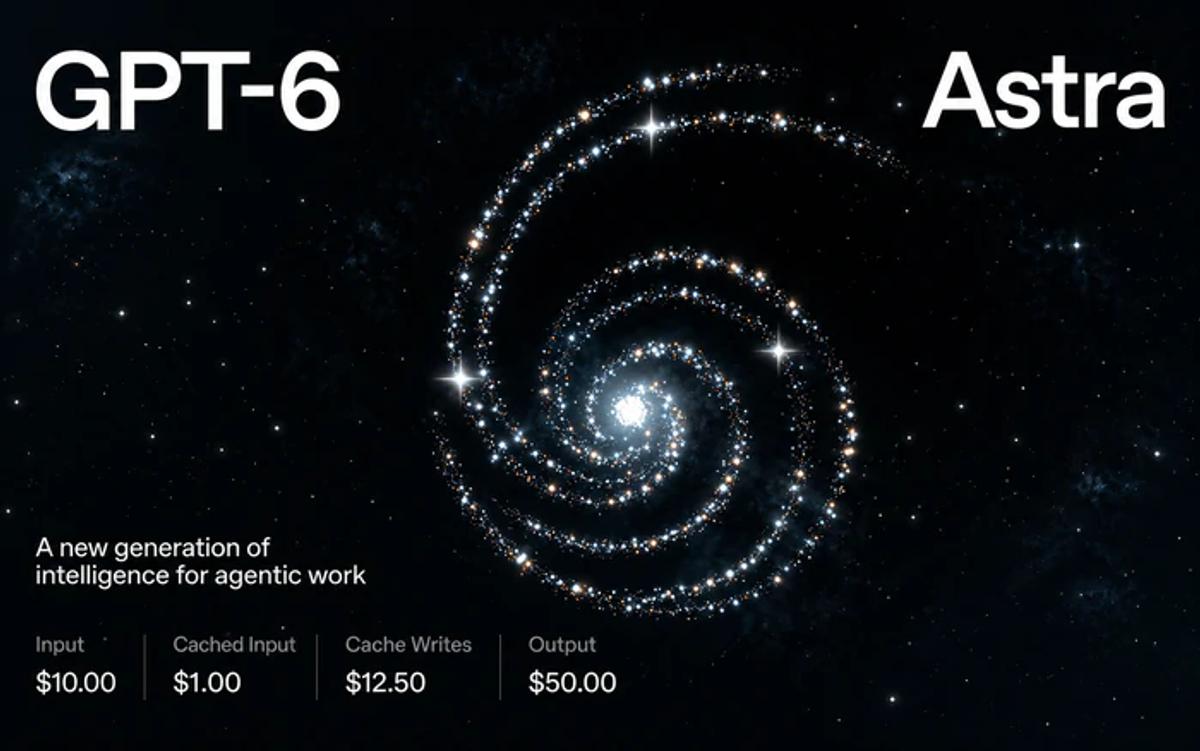
Within MySpec, GPT-6 Astra provides a higher-capability option for workflows where reasoning depth and handling complex project context take priority over cost.
Context Window
1.05M tokens
GPT-6 Astra supports a 1,050,000-token context window and up to 128K output tokens, providing substantial capacity for large specifications, documentation, code context, and long-running planning workflows.
Recommended For
- Complex Greenfield and Brownfield projects
- Large or highly interconnected software systems
- Architecture and Solution planning requiring deeper reasoning
- Complex requirements and technical trade-off analysis
- Long-running workflows with extensive project context
Official Model Information
5. Workflow Improvements: More Context-Aware AI and Better MCP File Handling
Beyond the larger feature updates, this release also improves how MySpec handles time-sensitive context and spec files across AI workflows.
a. More Accurate Time-Aware Planning
MySpec now provides the current date in UTC to the AI across Generate, Edit, Brownfield, OpenSpec, and Spec Kit workflows.
This small addition provides important context for questions where timing matters. Project timelines, delivery plans, date-based requirements, and questions involving the latest available information can now be generated from the correct point in time rather than relying on an assumed date.
The date is provided as workflow context only and is not stored in chat history, keeping conversations focused on the actual project content.
b. More Consistent MCP Spec File Tools
Spec file handling has also been standardized across MySpec MCP servers, making file access more predictable when working with AI agents and connected development tools.
The main list_spec_file tool now supports the Trash Bin directly and includes pagination for larger file collections. Large spec files can also be read in smaller sections, with support for files up to 8 MB, making it more practical to work with extensive requirements, solutions, and other project documentation through MCP.
Error handling has been improved as well. Requests for revisions that do not exist now return clearer feedback, making problems easier to identify and resolve during automated workflows.
Together, these improvements reduce small points of friction across everyday specification work, giving AI better temporal context while making MCP-based file operations more reliable and consistent.
Looking Ahead
Software development is becoming increasingly connected, with people, AI models, agents, and development tools contributing to the same project at different stages. MySpec is evolving alongside that workflow, making specifications not only easier to create, but also easier to collaborate around, manage, and connect with the tools that carry them into implementation.
With Live Presence, deeper Usage insights, new MCP capabilities, and an expanded AI model lineup, this release brings another step toward a more connected specification workflow, while keeping clarity and structured planning at the center.
More improvements are already on the way. Stay tuned for what’s next.