Introducing the Next Generation of MySpec: Smarter Planning, Better Specifications, and a Complete Development Workflow
This release introduces a redesigned specification workflow, enhanced AI collaboration, and more powerful project management capabilities, enabling teams to move from planning to implementation with greater precision and consistency.
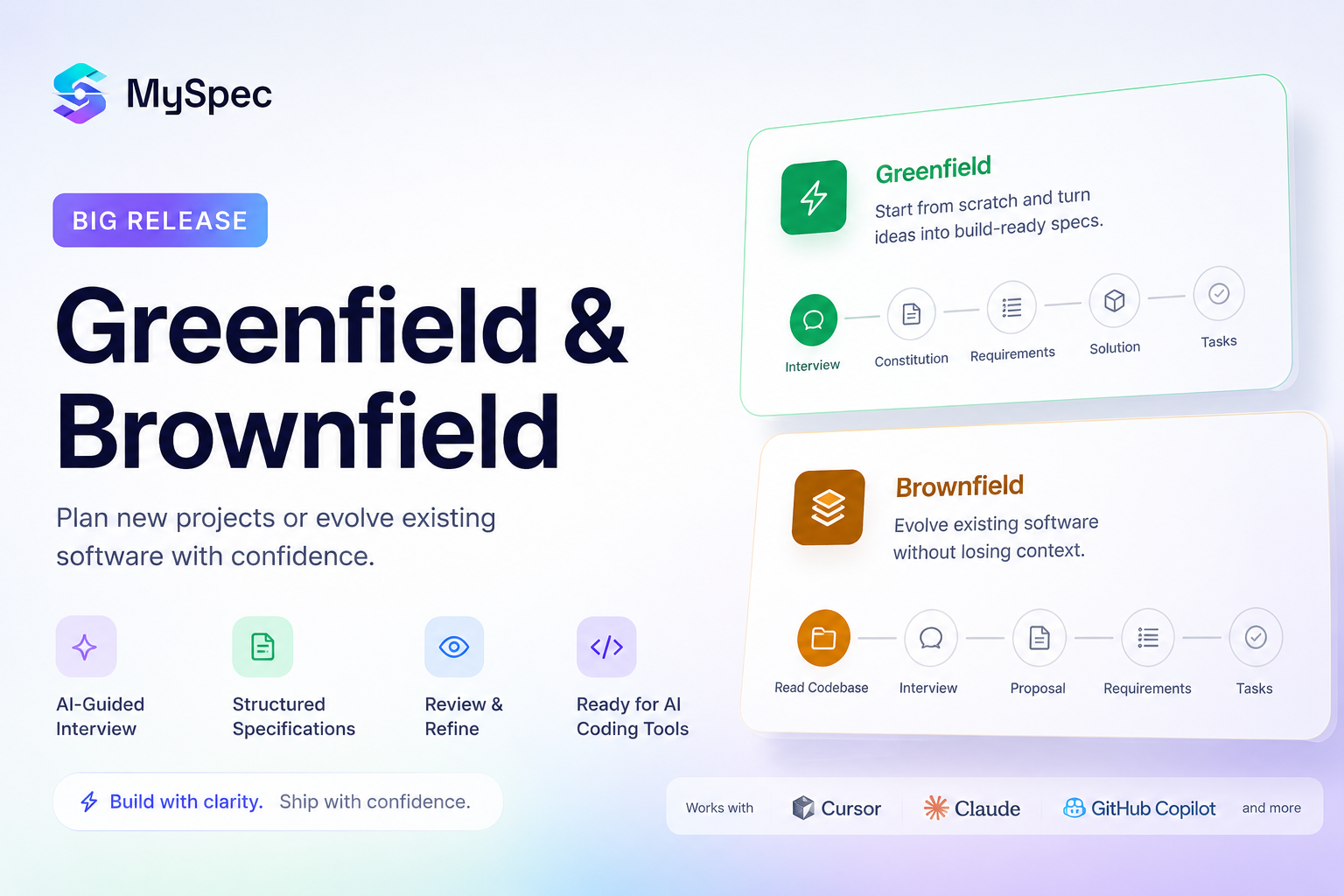
We're excited to introduce one of the biggest updates to MySpec since launch, a complete redesign of how software specifications are planned, reviewed, and prepared for development. This release goes far beyond new features. It's the foundation for a more complete software planning workflow.Whether you're creating a brand-new product with Greenfield, improving an existing codebase with Brownfield, or letting Auto choose the best workflow, MySpec now supports the entire planning journey. Along the way, you'll discover AI-powered interviews, requirement discovery, clarification, structured specifications, intelligent reviews, AI recommendations, request changes, implementation-ready planning, and seamless exports to tools like Lovable, Bolt, Replit, or your preferred AI coding assistant. In this post, we'll walk through every stage of the new workflow and explore how these improvements help teams plan software with greater clarity before development begins.
Why we redesigned MySpec
Since launching MySpec, we've had the opportunity to learn from builders, developers, founders, and technical teams using the platform to plan real software projects. While the original workflow helped transform ideas into structured specifications, we saw a clear opportunity to make the experience more complete. Users wanted a better way to plan both new and existing projects, refine requirements before implementation, and validate technical decisions with greater confidence. This update is the result of that feedback, introducing a more structured workflow that supports every stage of software planning, from the first idea to implementation-ready tasks
Greenfield: Build new ideas with confidence
Every great product starts with an idea, but turning that idea into a complete, implementation-ready specification is often the most challenging part of software development. Greenfield is designed specifically for brand-new projects, guiding teams through a structured planning workflow before a single line of code is written. The experience begins before creating a project. Users can personalise their workspace by selecting the role that best matches how they work, whether as a Developer, QA Engineer, Business Analyst, Project Manager, or Solution Architect. Combined with multilingual support and light or dark mode, MySpec creates a workspace that adapts to different teams, responsibilities, and working preferences from the very first interaction.
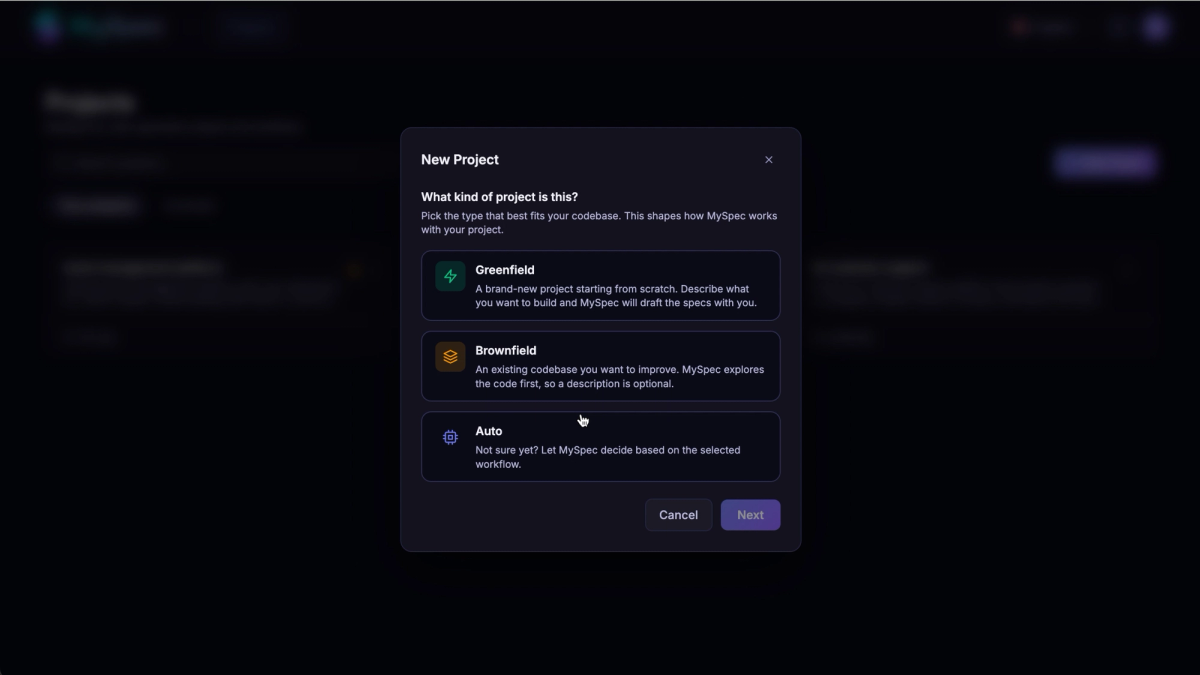
Creating a project is equally flexible. Teams can start with Greenfield for new products, choose Brownfield for existing systems, or let Auto recommend the most suitable workflow. After defining the project name and description, every project remains easy to manage throughout its lifecycle. Users can edit project details, rename projects, search across multiple projects, archive completed work, restore archived projects, or permanently delete projects when they're no longer needed, making MySpec suitable not only for planning a single product but also for managing an entire portfolio of specifications.
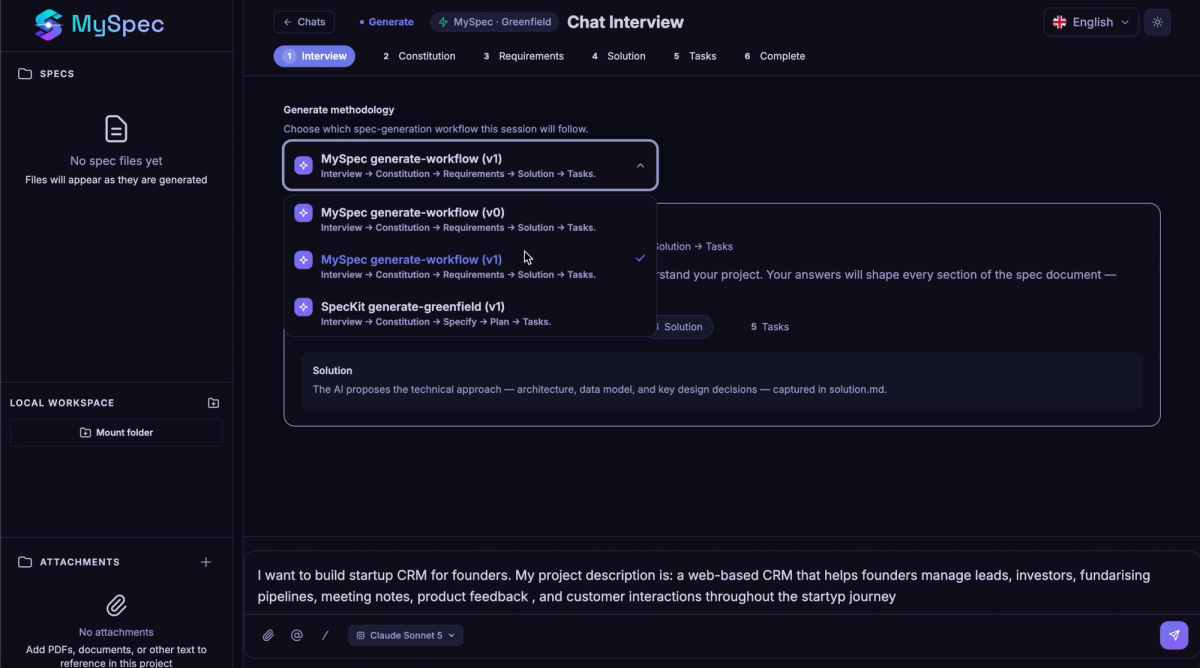
Once the project is created, MySpec replaces traditional requirement gathering with an AI-guided interview that gradually builds a complete understanding of the product. Instead of asking a fixed list of questions, the conversation adapts dynamically based on previous answers, exploring business goals, user roles, permissions, workflows, edge cases, integrations, technical constraints, and implementation decisions. Additional context can be provided at any time by uploading supporting documents, referencing attachments directly within the conversation, or mounting a local workspace containing an existing codebase or project resources. Advanced users can also leverage MCP tools to give the AI deeper access to project context, creating a richer and more informed planning experience. Throughout the interview, users remain free to choose the AI model that best fits their needs, with support for Claude, GPT, and Gemini models.
As the interview progresses, MySpec continuously evaluates the quality of the information it receives. Whenever important details are missing or requirements remain ambiguous, the platform automatically enters a clarification workflow instead of making assumptions. Focused follow-up questions help resolve uncertainty before specifications are generated, ensuring the final documentation is based on validated decisions rather than incomplete prompts.With sufficient context collected, MySpec generates a complete specification package rather than a single document. Every project includes an Introduction that defines the product vision and objectives, a Constitution that establishes architectural principles and engineering standards, comprehensive Requirements covering functional and non-functional behaviors, an implementation Plan, and optional Tasks that transform high-level planning into actionable development work. Each document remains editable, allowing specifications to evolve alongside the project instead of becoming static documentation.
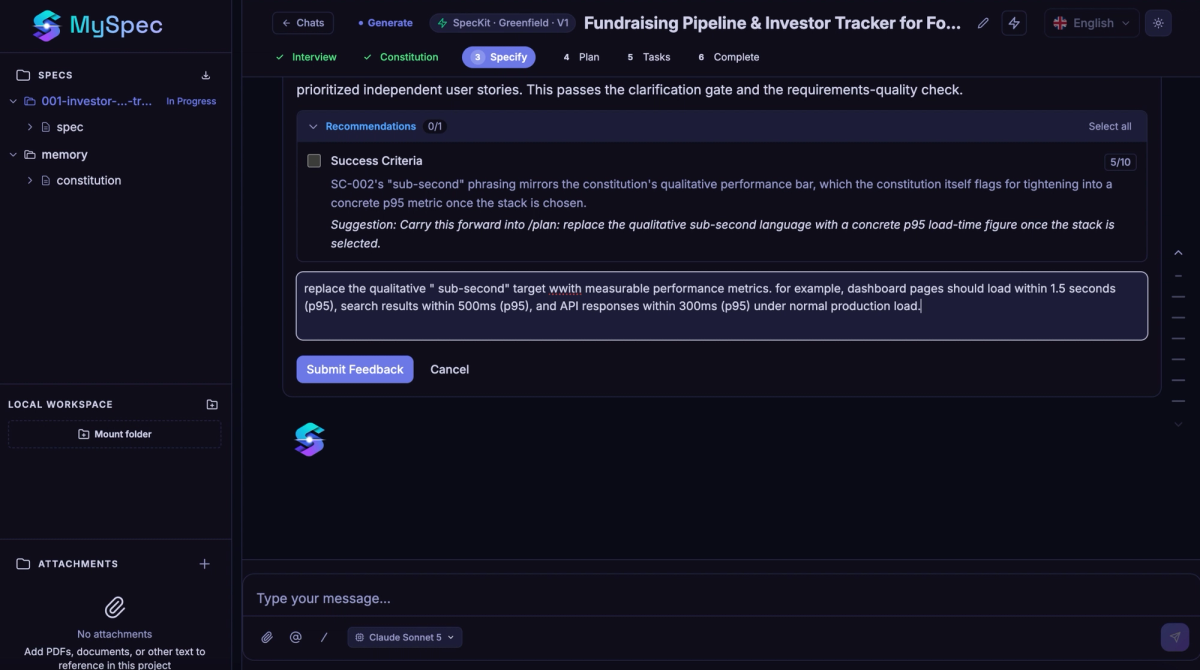
Before moving into implementation, every specification passes through a structured review process. MySpec evaluates requirement quality, identifies inconsistencies, verifies acceptance criteria, highlights missing success metrics, and provides AI-powered recommendations for improvement. Rather than accepting the first generated result, teams can request changes, regenerate individual sections, answer additional clarification questions, and continuously refine their specifications until every stakeholder is confident that the project is ready for development.
Once planning is complete, MySpec helps teams transition directly into implementation. Specifications can be exported, transformed into AI-ready prompts, or opened directly in development platforms such as Lovable, Bolt, and Replit, allowing reviewed specifications to become the foundation for rapid prototyping and AI-assisted development without rewriting project context.

As projects continue to grow, MySpec keeps documentation organized through built-in workspace management. Specification files can be renamed, grouped into folders, moved to the trash, and restored whenever necessary, while projects remain searchable and easy to maintain throughout their lifecycle. By combining structured planning, AI-guided refinement, workspace management, and seamless handoff to development tools, Greenfield provides a complete workflow that takes teams from an initial idea to implementation-ready software with significantly greater clarity and confidence.
Brownfield: Evolve existing software without losing context
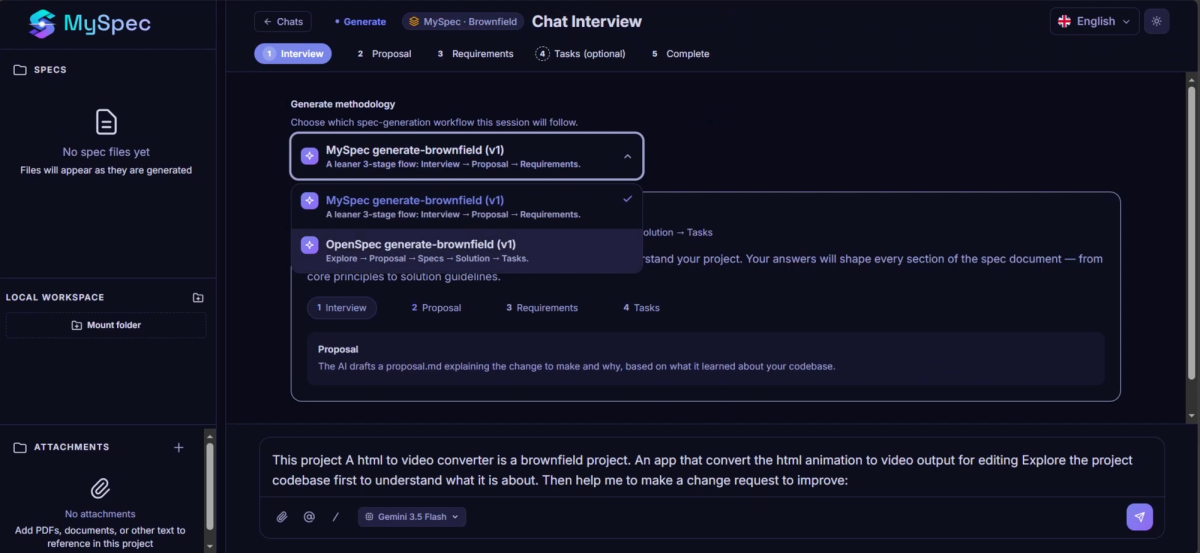
Not every project starts with a blank page. Most development teams spend their time improving software that already exists, adding features, refining requirements, fixing issues, and adapting to changing business needs. That's why this release introduces Brownfield Workflows, allowing MySpec to understand your current project before planning the next change.
Getting started is simple. Create a Brownfield Project, connect your Local Workspace, attach supporting documents when needed, and choose the workflow that best fits your project, whether that's MySpec Generate Brownfield for a streamlined planning experience or OpenSpec Generate Brownfield for a more comprehensive specification workflow. For existing specifications, the dedicated Edit Workflow lets you reference current files, describe the requested change, and review AI-generated revisions instead of recreating everything from scratch.
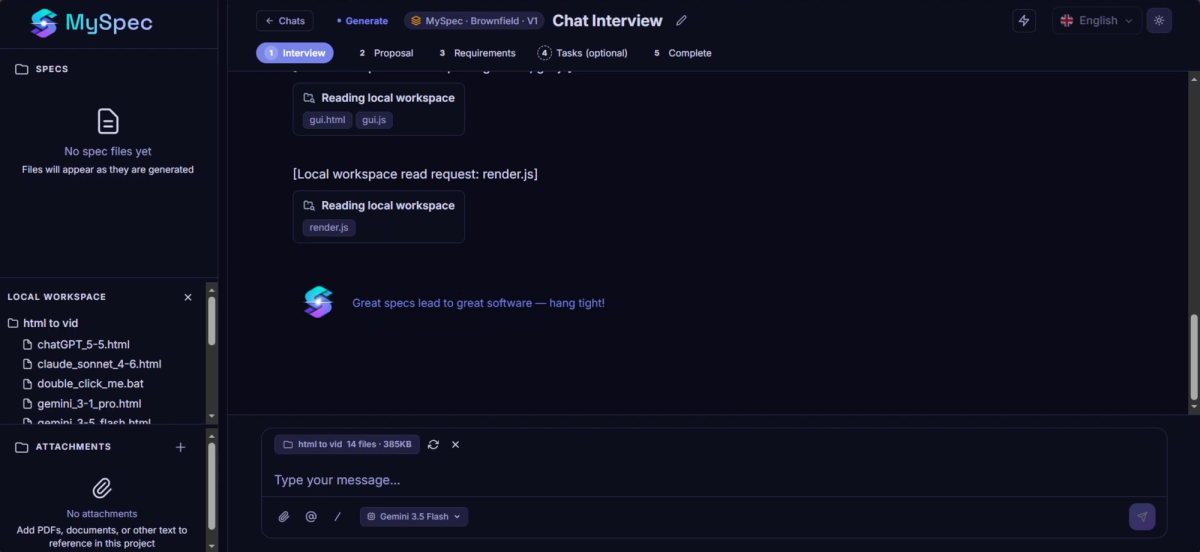
Once your project is connected, MySpec automatically reads your local workspace and reference files to understand the current implementation before starting an AI-guided interview. Rather than asking you to describe the entire system again, the interview focuses only on the reuested change. Every question includes AI-generated answer suggestions, highlighted Recommended options, and the flexibility to provide your own response through Other, helping teams define updates with minimal effort while preserving existing context.
From there, MySpec generates structured Proposal, Requirements, and optional Tasks documents, with every stage passing through a dedicated review process. Each revision can be approved or sent back with Request Changes, while built-in AI Recommendations highlight opportunities for improvement before moving forward. If implementation planning would provide additional value, MySpec explains why and recommends continuing to the optional Tasks stage, while still allowing teams to finish earlier if appropriate.
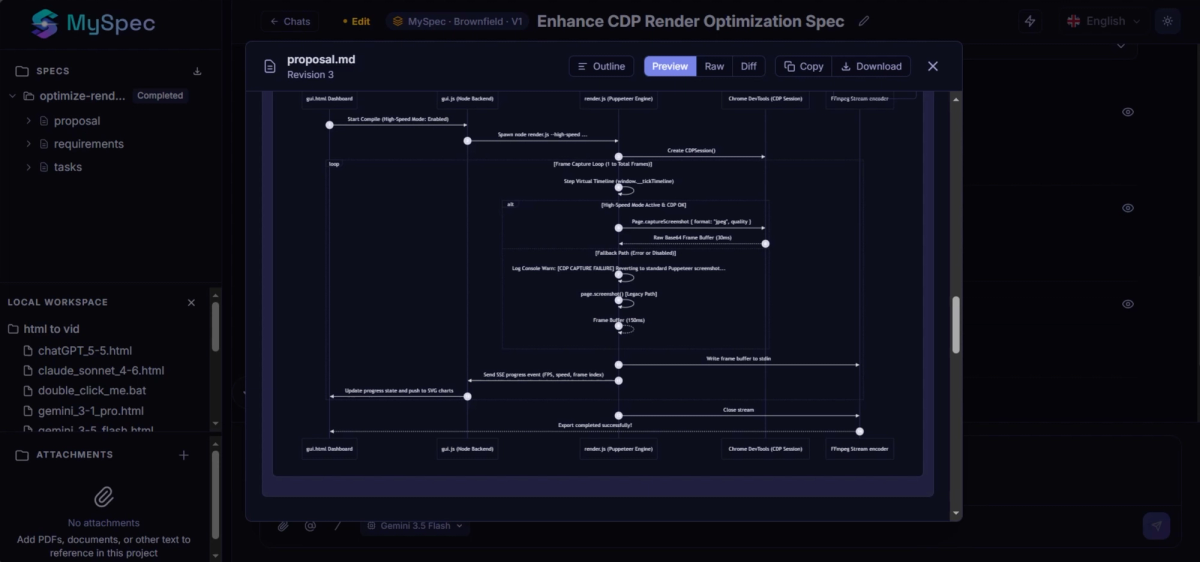
Like Greenfield, every generated bundle can be explored through Outline, Preview, Raw, and Diff views, making it easy to inspect every change before accepting it. When the session is complete, users can download the updated specification bundle, generate an AI Prompt for Cursor, Claude, Copilot, or other coding assistants, and continue implementation with documentation that reflects both the existing architecture and the approved changes, instead of treating the project as a brand-new build.
Review, refine, and validate before you build
Generating a specification is only the first step. One of the biggest improvements in this release is the introduction of a continuous review workflow that helps teams improve their specifications before development begins. Instead of treating AI-generated documentation as a final output, MySpec evaluates every stage of the planning process to ensure requirements are clear, complete, and technically actionable.Whenever MySpec detects ambiguous requirements, incomplete success criteria, or missing technical decisions, it doesn't simply continue with assumptions. It highlights the issue, explains why it matters, and provides AI-powered recommendations to strengthen the specification. Users can request changes directly from the review, answer follow-up questions, regenerate specific sections, and iterate until the specification reaches the desired level of quality. This review-first approach helps reduce misunderstandings between product, engineering, and AI coding tools, making specifications more reliable before implementation starts.
One workflow, from idea to implementation
Whether you're starting with a brand-new idea or improving an existing product, MySpec is built around a single goal: helping teams make better technical decisions before development begins. Every workflow follows the same structured approach: understand the project, gather the right context, generate structured specifications, validate important decisions, refine requirements through AI-powered reviews, and finally transform everything into implementation-ready plans and development tasks. Instead of relying on scattered prompts or disconnected documents, MySpec provides a single workflow that keeps product, engineering, and AI coding tools aligned throughout the planning process.
Looking ahead
This release represents the biggest evolution of MySpec since launch, but it's only the beginning. As software development continues to move faster with AI, we believe planning, specification quality, and technical alignment will become even more important. With the introduction of Greenfield and Brownfield workflows, AI-powered requirement discovery, structured specification generation, built-in reviews, continuous refinement, and implementation-ready planning, MySpec is evolving into a complete software planning platform rather than simply a specification generator. We're excited to see what you'll build with the new workflow, and we look forward to your feedback as we continue improving MySpec.