Bringing Teams and AI Agents Closer in MySpec: Comments, Collaboration, and MCP Updates
MySpec introduces a more connected workflow for teams and AI agents with in-context comments, highlighted review passages, project-wide discussions, and expanded MCP capabilities.
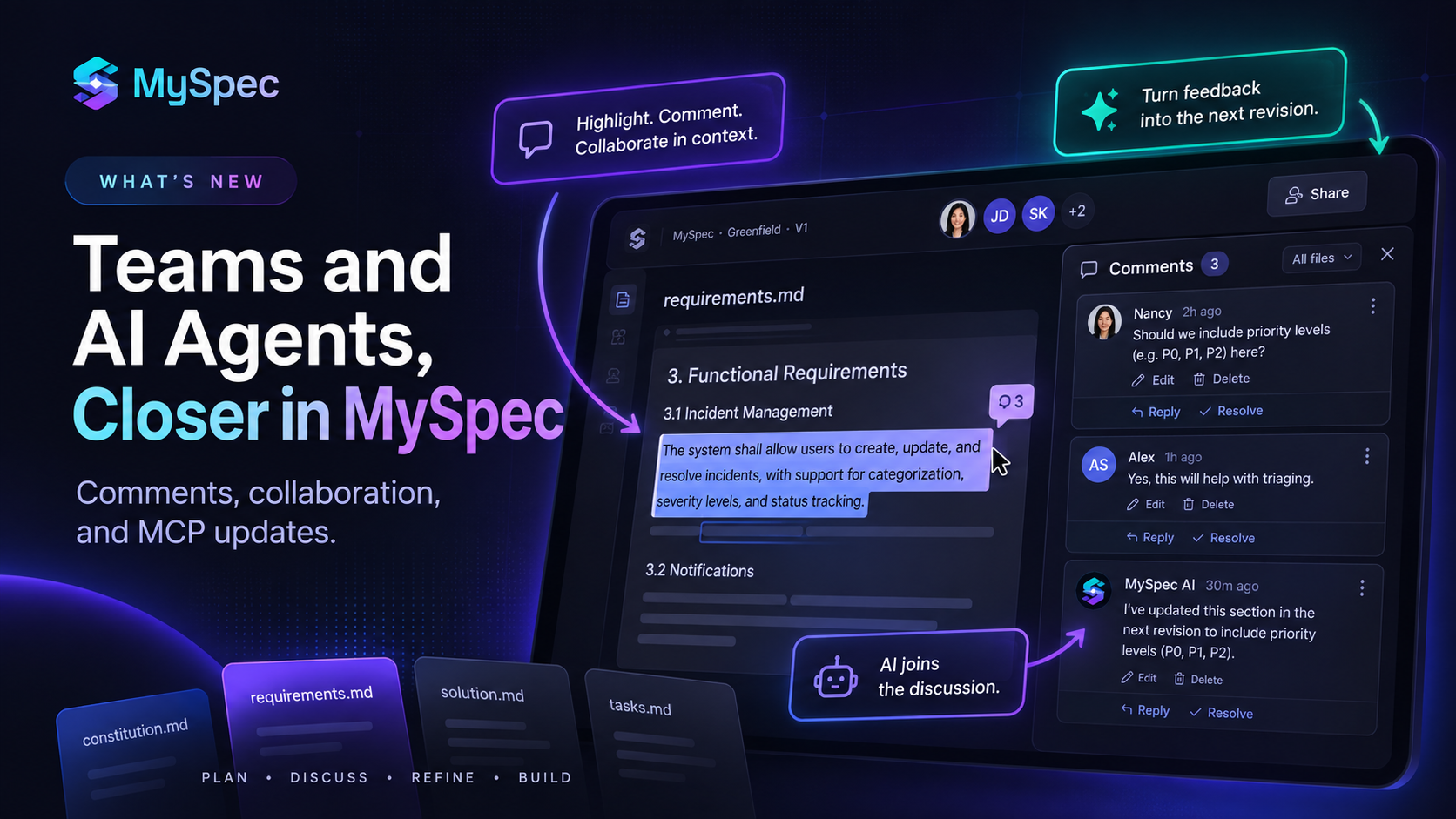
Software development increasingly happens between people and AI agents, but keeping both sides aligned around the same decisions and context remains a challenge. This release moves MySpec further toward solving that gap.
Teams can now discuss specifications directly where decisions are documented, with in-context comments and conversations that remain connected as specs evolve. At the same time, new MySpec MCP capabilities give AI agents better access to the structured project context they need to work effectively.
Together, these updates make MySpec a more connected workspace for planning, collaboration, and AI-assisted development, helping teams carry shared context from specification to implementation.
Collaborate Directly on Your Specifications
Specifications are where important product and technical decisions are documented, but reviewing them often means moving the conversation somewhere else. A requirement might be questioned in chat, an architecture decision discussed in a meeting, or implementation feedback shared without a clear connection to the exact part of the spec being reviewed.
MySpec now brings those conversations directly into the specification.
In-Context Comments and Highlighted Passages
Any passage in a spec file can now be selected to start a discussion directly beside the relevant content. This brings feedback down to the level of individual requirements, acceptance criteria, architecture decisions, constraints, and implementation tasks rather than treating review as feedback on an entire document.
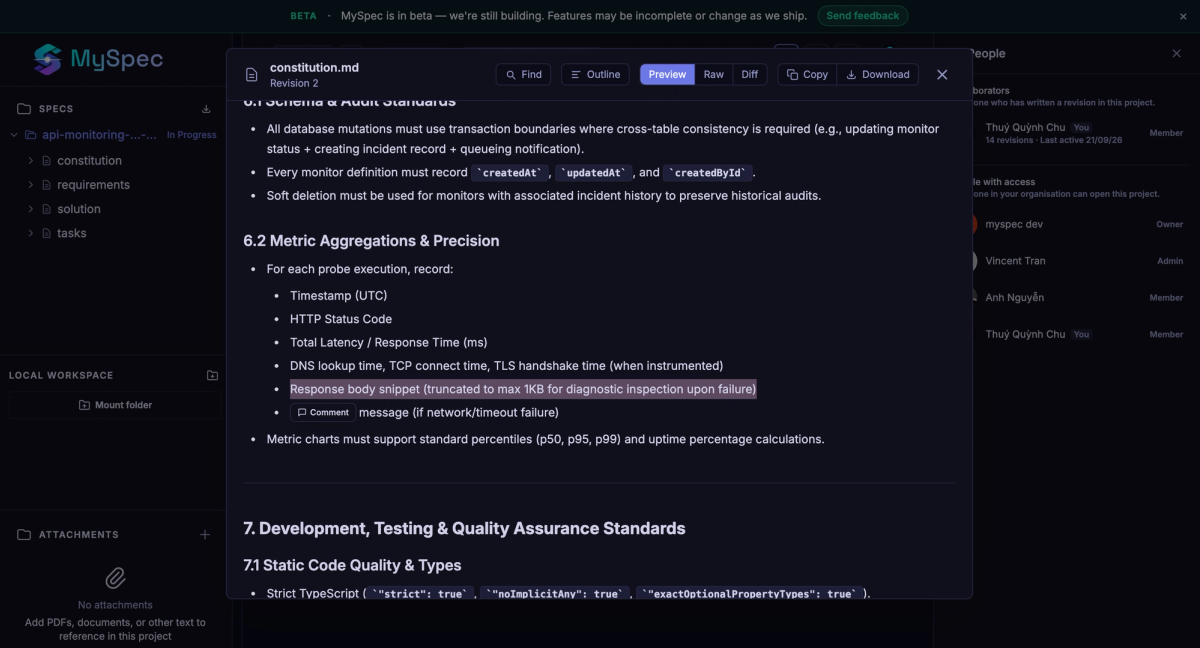
Comment threads support replies, resolution when a point is settled, and reopening when further discussion is needed. Authors can edit or delete their own comments, while a placeholder preserves existing replies if the original comment is removed.
Open discussions are also reflected directly in the specification. Passages with active threads are highlighted in both the editor and preview, even when the comments panel is closed. This makes areas under review immediately visible while reading or editing a spec and helps distinguish settled content from decisions that still require attention.
Discussions That Stay Connected Across the Project
Comments are designed to remain useful as specifications change. When a new version of a file is saved, each comment follows the passage it references, so revisions to surrounding text do not automatically break an ongoing discussion. If the referenced passage is removed completely, the thread is marked Detached instead of being linked to the wrong content. A new passage can then be selected to re-attach the discussion.
A new project-wide comments panel brings all of these conversations into one place. Open threads are grouped by file, while threads associated with the currently opened file move to the top, including resolved discussions. Selecting a thread jumps directly to its referenced passage, and replies, resolutions, reopening, edits, and deletions can all be handled from the panel without requiring the corresponding file to remain open.
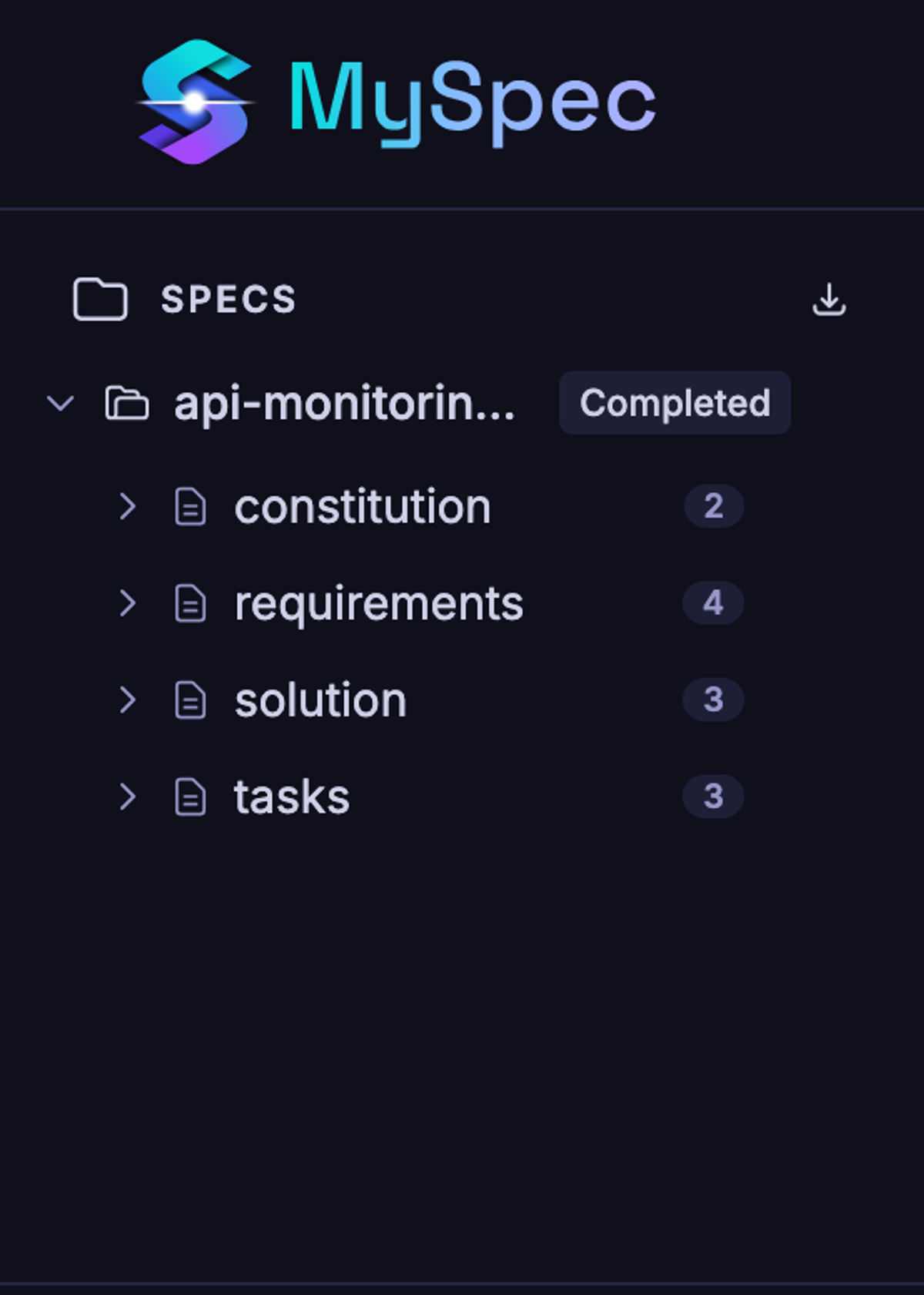
Open-thread counts provide an additional overview of review activity. Each file shows the number of unresolved discussions it contains, while the comments button in the header displays the total across the project.
The panel remains available while moving between the project page and individual sessions, can be repositioned alongside the file preview, and stays out of the way until opened. On smaller screens, the same experience adapts into a bottom sheet.
Comments also follow clear boundaries across the project lifecycle. Existing threads remain readable and manageable when a file is moved to the trash, while new comments and replies are disabled. Public share links continue to show specifications without internal comments, keeping project discussions separate from externally shared content.
AI Joins the Specification Discussion
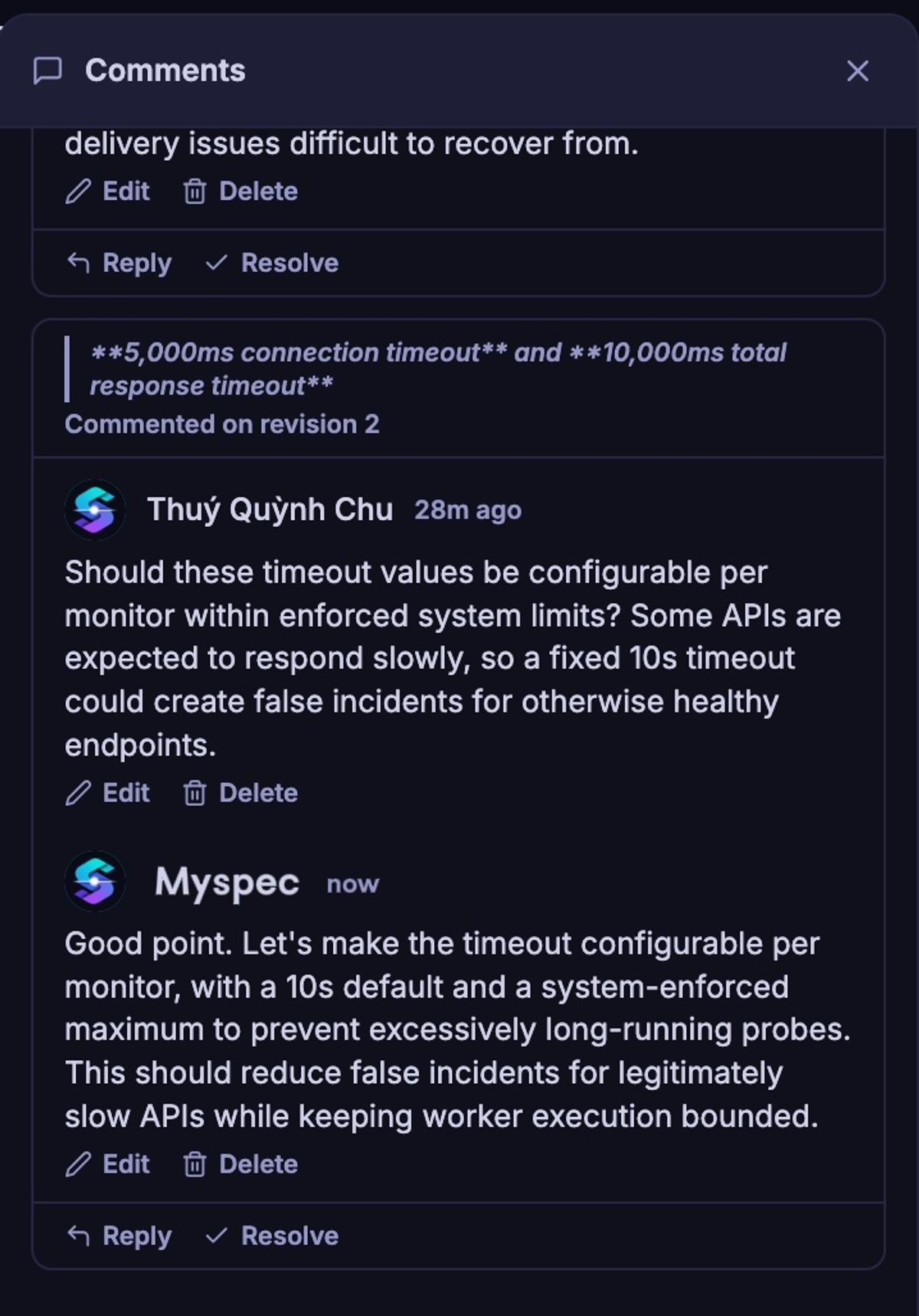
The new commenting experience also brings the AI assistant into collaborative review. During Generate and Edit sessions, the assistant can read existing review threads, start a new discussion, and reply to comments.
This allows feedback raised during review to become part of the working context for subsequent AI-assisted specification changes. Instead of separating discussion from generation and editing, the review conversation can remain connected to the same specification workflow.
AI contributions are clearly marked, maintaining a visible distinction between human and AI comments. Key review decisions remain human-controlled: only people can resolve a thread or re-attach a detached discussion.
Combined with MySpec's existing revision and review capabilities, comments add a new layer of collaboration around the specification itself: what is under discussion becomes visible, conversations remain connected as the content changes, and both collaborators and AI can participate in refining the decisions that move a project toward implementation.
Turn Review Feedback into the Next Spec Revision
Comments in MySpec are not limited to discussion. When a specification moves back into an Edit session, open review comments can become part of the next refinement cycle. MySpec can identify unresolved feedback across the specification and use it as context when updating the spec, turning review discussions into actionable changes for the next revision.
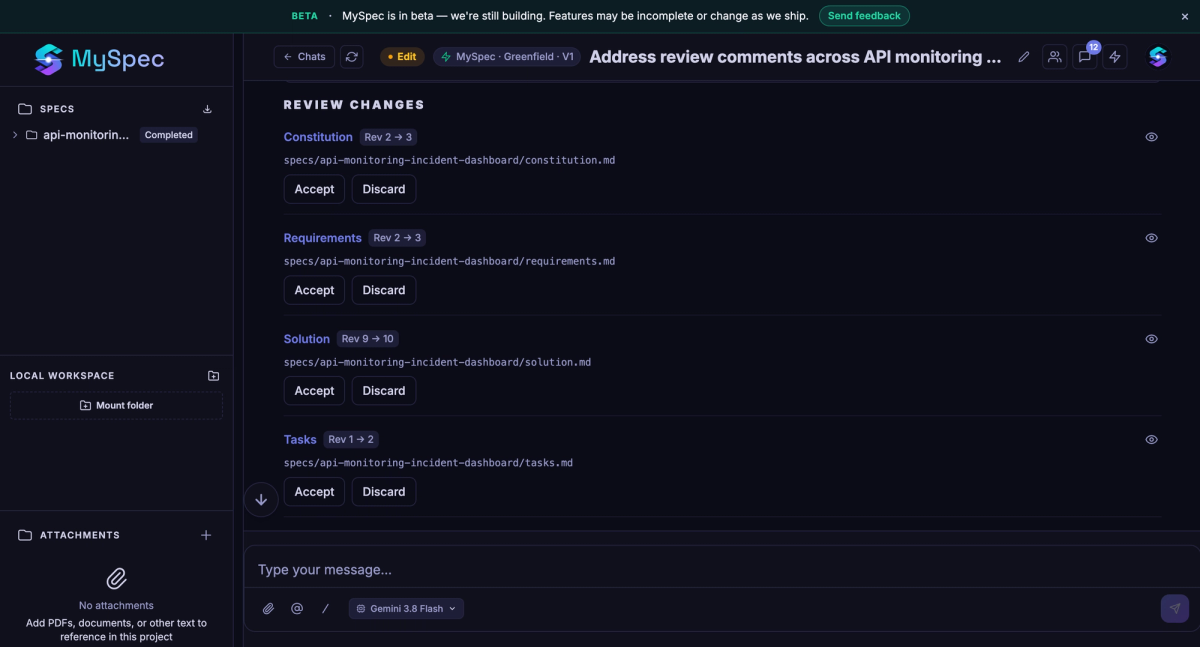
This creates a more continuous workflow from review to refinement. Instead of collecting feedback from individual threads and manually translating it into a new prompt, comments can remain attached to the specification and inform the next update directly. Combined with Revision History and Diff, each cycle becomes easier to follow: feedback is raised in context, incorporated into a new version, and the resulting changes can be reviewed again before approval.
Extend MySpec Workflows to AI Agents with MCP
MySpec MCP is also expanding to connect specification planning more directly with AI agent workflows. The key addition is start_spec_session, which allows a connected AI agent to initiate a new specification session directly from the development environment and continue the structured planning process in MySpec.
MCP now also extends the new commenting experience to AI agents. Connected agents can access review discussions, start comment threads, reply to existing feedback, and manage their own comments. This allows specification decisions and review context created in MySpec to remain accessible when development moves into an AI-assisted environment.
Together, these capabilities create a more continuous path between MySpec's existing planning workflows and implementation: structured specifications can be initiated from an AI agent, while the discussions surrounding those specifications can remain part of the context throughout development. Human collaborators retain control over resolving discussions and re-attaching detached comments.